How it works
- Open an in-person tableSign in and choose In person. Pick the game (or dealer's choice), blinds and starting stack. It's free.
- Put the board on a screenOpen the board on any screen with a browser — smart TV, laptop on HDMI, a tablet on a stand — or pair the free Apple TV app.
- Everyone scans inFriends scan the QR code on the board to take a seat from their phones.
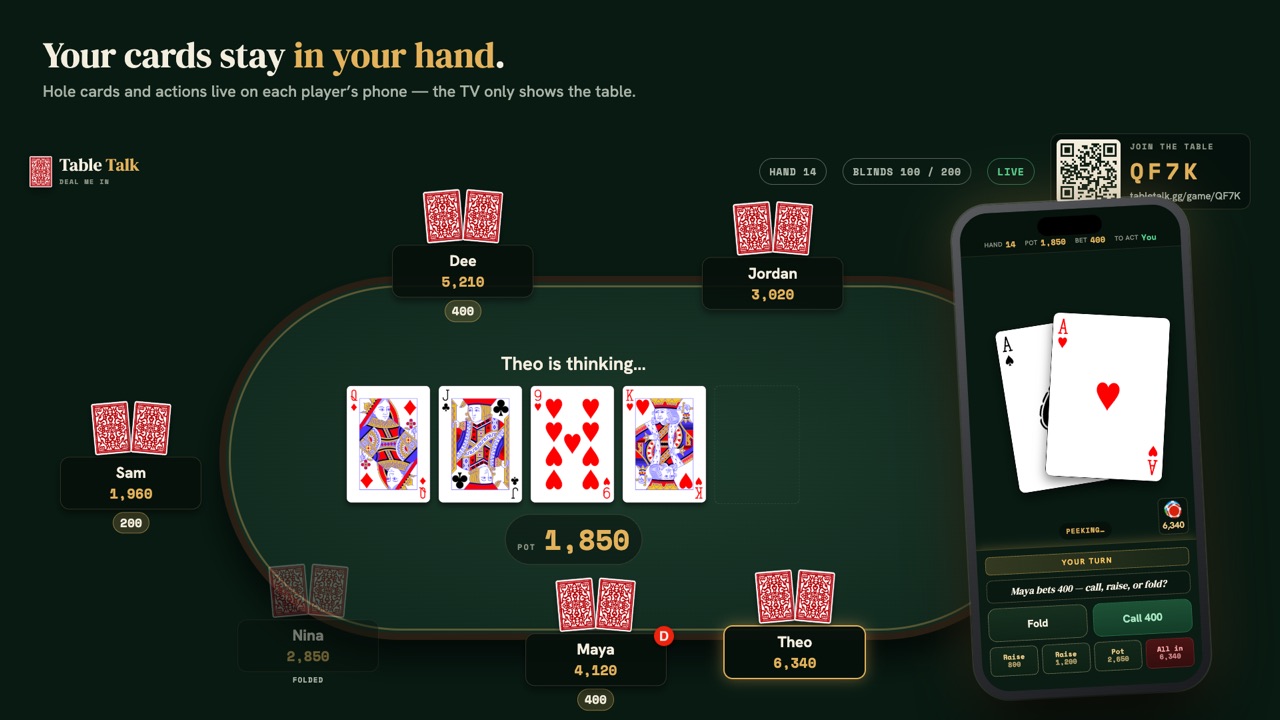
- Play from your phoneHold to peek at your cards; let go and the person next to you sees a card back. Your phone buzzes or dings when it's your turn.
- Settle upAt the end Table Talk shows who finished up and down. A group's in-person nights count on the same leaderboard as its video nights.
Real poker, minus the chores
Everyone actually in the same room for once? Table Talk turns the TV into the table and every phone into a hand. It's still real poker — dealer's choice and all — you just skip the part nobody likes: shuffling, counting stacks, remembering who rebought, and doing the settle-up math at 1am.
Your hand stays on your phone
Your cards show face down. Press and hold to peek; let go and the person next to you just sees a card back. If you'd rather, set your phone to show them face up all night. Your phone buzzes or dings when it's your turn, so nobody has to shout your name across the room.
The board goes on any screen
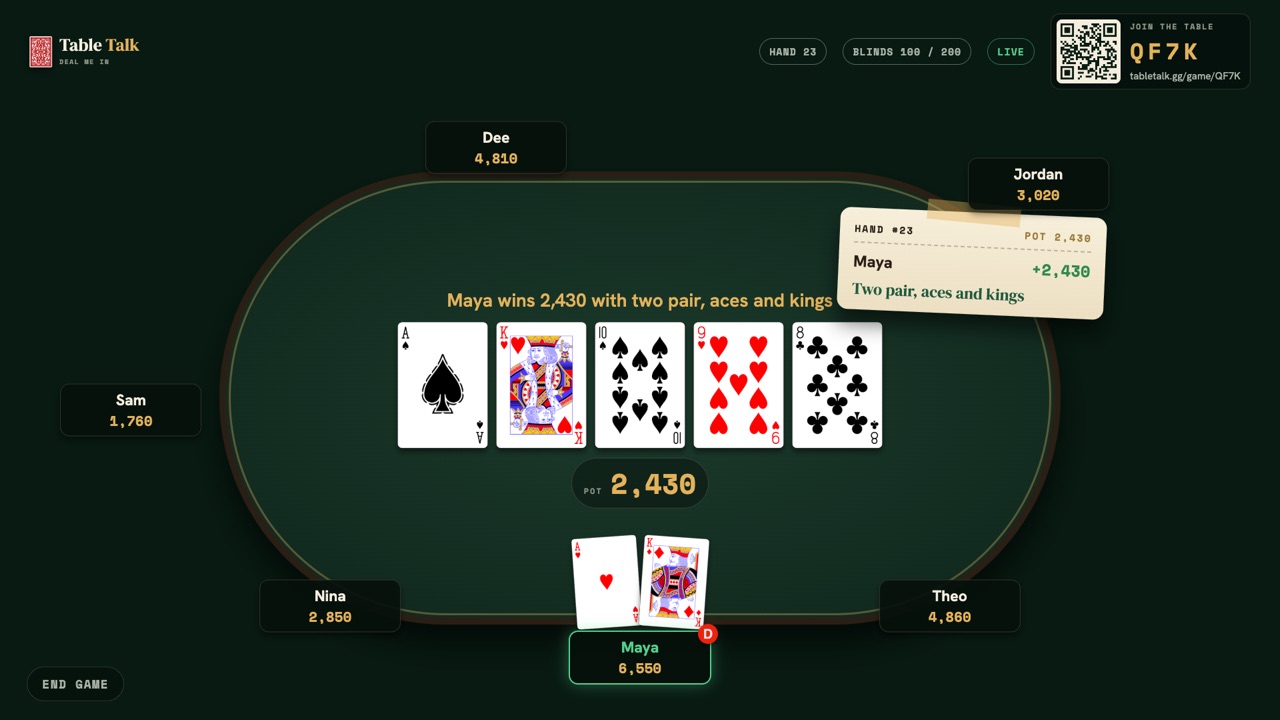
The board is a web page, so it runs on anything with a browser: a smart TV, a laptop plugged in over HDMI, a tablet on a stand. It shows every seat and stack, the bets, the board cards, whose turn it is and who won. On an Apple TV, the free Table Talk app does the same job.
Seven games, dealer's choice
Deal Texas Hold'em all night, or let each dealer call the hand from your list with dealer's choice. Each game has its own page with the rules as the app deals them: see them all.
Keep score across nights
Make a group for your regular game and every in-person night lands on the same leaderboard as your video nights. Played with real cards and chips instead? Log the night afterwards and it still counts.