
How it works
- Make a groupCreate a group for the team and share its invite link. Groups are free.
- Schedule the nightPut the next night on the calendar. People RSVP in one tap and get reminders by email or push.
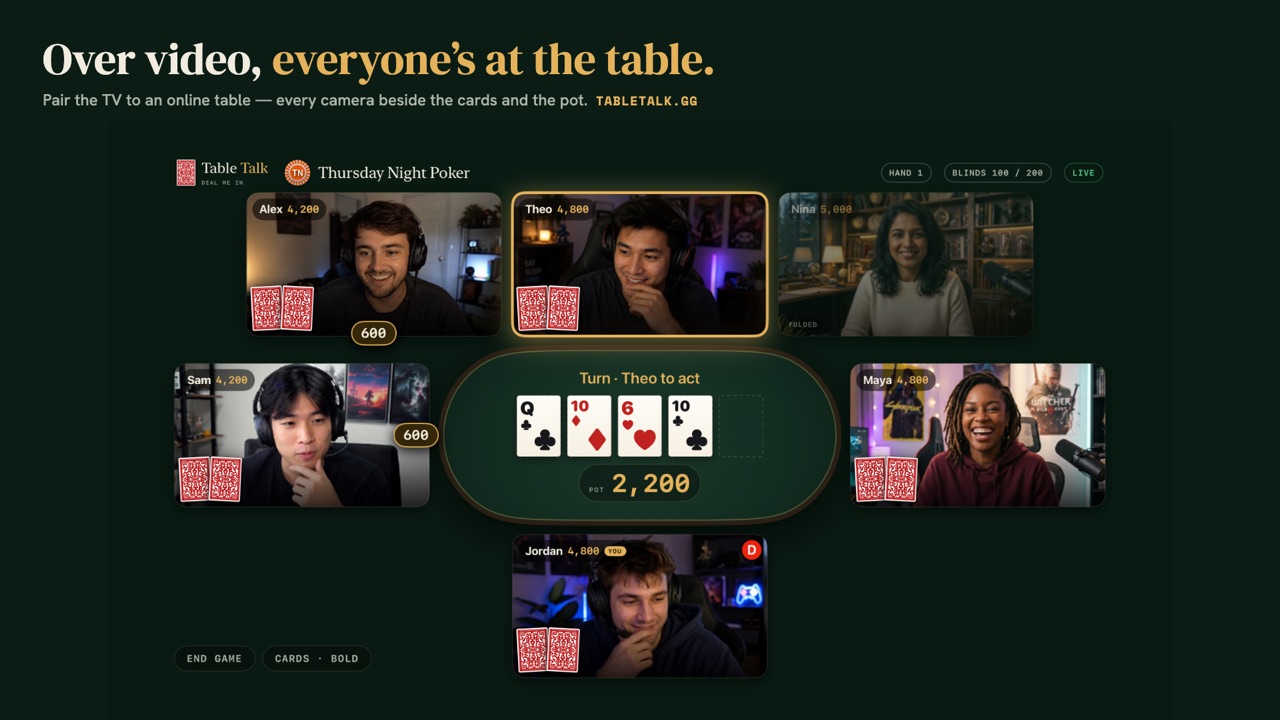
- Open a video tableOn the night, the organiser opens a video table for the group. Up to nine seats, everyone on camera in the browser.
- Play and wrap upPlay chips only. The night ends with a receipt and lands on the group's leaderboard.
What a team can do today
- Video tables. Up to nine seats at a table, everyone on camera, in the browser on a laptop or phone. Nothing to install.
- Scheduling. A free group schedules the next night, collects one-tap RSVPs and sends reminders by email or push. The Club plan adds recurring nights with SMS reminders, date polls to find a night that works, and calendar feeds.
- A leaderboard. The group's nights add up to a leaderboard: the last 30 days free, season stats with the Club.
- Seven games. Start everyone on Texas Hold'em, or mix it up with dealer's choice once people find their feet.
- Play chips only. Nobody buys in and nothing is won. It's a social hour with cards in it.
What it doesn't do
Table Talk is built for a group of friends at one table, so be clear on what's missing before you plan a big event:
- No tournament mode: no rising blind levels, no eliminations, no prize structure. (The free blinds timer can run a clock if you want one.)
- No multi-table play. Each table seats nine, and a group has one live table at a time. A bigger team needs a second host opening a separate table.
- No company plan, invoicing or admin console. Hosting is paid by card, per video table or with a group's Club plan.
Getting newcomers comfortable
The app only shows the moves you're allowed to make, names every hand at the showdown, and keeps a hand-rankings cheat sheet one tap away. Anyone nervous can practise first against three bots with the instant table — no sign-up — and read poker etiquette for friendly games.