
How it works
- Open a video tableSign in, choose Over video, pick the game (or dealer's choice), the blinds and the starting stack.
- Text the linkSend your friends the table link. Up to nine seats; joining is always free and runs in the browser.
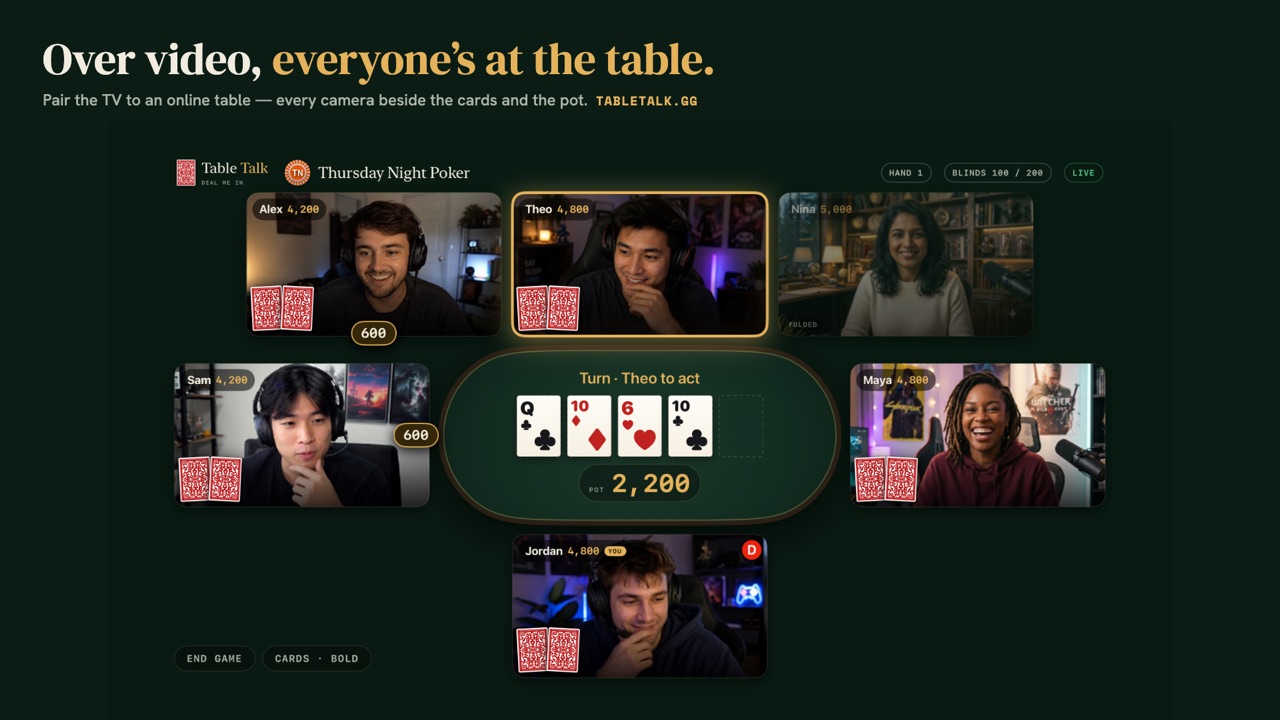
- Cameras on, cards outEveryone's on video around the table. Your cards and your buttons are on your own screen; on a phone, whoever is acting fills the screen.
- Settle upWhen the night ends, Table Talk tallies a receipt of who finished up and down, and a group's nights land on its leaderboard.
Why play over video
The group chat that never manages to get everyone in one room can usually find one evening online. With cameras on, the night keeps what makes home poker fun: the trash talk, the groans at a bad river, the face someone makes when they've got it. Whoever is talking lights up with a green ring, and on a phone the player about to act fills your screen, so you're watching the person, not a cartoon avatar.
Your cards and your buttons are on your own screen. Table Talk deals, runs the betting, posts the blinds, builds the side pots and names the winning hand, so nobody has to know the rules cold to keep the game moving.
What you can play
Seven poker games: Texas Hold'em, Omaha, Omaha Hi/Lo, Crazy Pineapple, 7-Card Stud, 5-Card Draw and Deuces Wild. Play one all night, or let every dealer call the next hand with dealer's choice.
Private, and play chips only
Tables are invite-only: the only people at yours are the ones you sent the link to. Chips are play chips with nothing to win but the receipt and the story.
On the big screen
Got an Apple TV? The free Table Talk app shows a video table on the TV, every camera around the felt, while your phone stays your camera, microphone and cards.